Why do Videos Look Bad on Facebook?
Why do videos look bad on Facebook, to begin with? It’s all about compression, but let’s look more into ways to improve Facebook video quality.
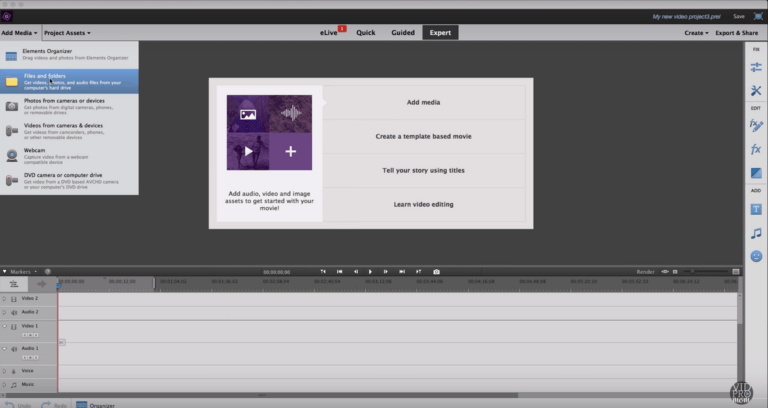
In this post, you’ll find my third and final VSDC Tutorial in my getting started series! If you missed the first two, you don’t want to skip ahead! You can scoot back to Tutorial 1 or Tutorial 2 to catch up. Be sure to do that before continuing on here with today’s tutorial, otherwise, you’ll…
This week, I’m continuing my VSDC Tutorial series with the second lesson. In the very first tutorial on using VSDC’s free video editor, I showed you how to get started with a new project and how to import clips. If you missed that first VSDC tutorial, click here to scoot back there to catch it….
If there is one question I hear all the time, it’s “what free video editing software can I use to edit my videos?” There are a handful of free video editor options out there for Mac and PC users, but one of them was recently retired by GoPro, and in its place, GoPro recommends PC…
When I started publishing weekly blog posts and videos in January 2015, I thought I knew what I was getting into. I knew a ton about the technical side of WordPress, a ton about keyword research and a ton about creating content. But I didn’t know that almost my entire audience growth would take place on…
I get this question a lot: “What is the best computer for video editing?” It doesn’t matter if we’re talking YouTube videos or GoPro videos, it’s easy to get overwhelmed with computers! Processors! RAM! Memory! Gigabytes! Megahertz! Solid State Drive! RIGHT?! There are so many options from laptops to desktops and Macs to PCs, and none…
Since starting my blog and YouTube channel years ago, I have come to rely on a few specific strategies for developing video topic ideas out of thin air. I have a two-part process, and in this post (and podcast episode), I will break down the first part of that process: brainstorming video topic ideas. This is the…
More and more people are jumping on the daily vlogging training. We hear people or YouTubers talking about how their subscribers increased as they upload daily on YouTube. Is there some truth in these claims? To see if this would actually increase my subscribers, I decided to do an experiment to test these claims and…
Are you curious where you can find background music for video? If I had a nickel for every time this question has come up, I wouldn’t need to put affiliate links in this blog post! #ohsnap Anyway… whether you’re creating videos for your business, blog, or YouTube channel, or even hobby videos, GoPro videos, and…
I’ve been playing around with the new Filmora 8.0 updates and let me tell you… this is some slick video editing software, especially for GoPro users! Filmora recently launched the 8.0 version of their video editor for Mac and PC and I partnered with Wondershare to show off the latest updates to their editor! Want…
Creating a video using iMovie is a relatively process once you get started, but if you’re wondering how to save in iMovie or how to save your iMovie project, things get a little bit confusing. You’ve set up your iMovie project, done some video editing, and now you’re wondering how to save a video in…
I am in love with Instagram’s Stories feature, but it is a challenge to figure out how to upload pre-recorded, edited content. Have you ever noticed that high-profile Instagram accounts like @garyvee and @gopro upload a mix of “on the fly” and pre-produced, edited clips to Instagram Stories?
Sometimes it feels like there aren’t as many “fun” video editors out there for PC users, right? One of my goals this year is to create some tutorials here on all (or most…) of the video editing software that I know you guys are using. I had a chance to play around with Cyberlink PowerDirector…
Last week on my podcast, The VidPro Studio Show, I interviewed Amy Schmittauer from the Savvy Sexy Social YouTube channel. She just released her first book called Vlog Like A Boss (affiliate link) and I have an extra copy to give away!
The third and final Kick-Ass Edits Tutorial in this series! In Lesson one, we covered a sneaky little time lapse trick, and in Lesson 2, we covered snappy jump cuts, and today, it’s all about the click. In today’s tutorial, I’m going to show you how to create custom thumbnails.
The Diva Ring Light was actually my first decent investment in lighting for my YouTube videos. I had been using natural light for over a year, and it just wasn’t cutting it! This is my review of the Diva ring light (I have the supernova model), and this review is sponsored by DVeStore. In this…
So what is it that makes videos fun to watch? What’s the secret trick? They’re SNAPPY!. What I’m talking about here are jump cuts and jump cut editing. Fun to watch videos move quickly. They keep your attention because your brain doesn’t want to miss something. Let’s take a look!
The term “bullet journal” hit my ears for the first time just a few months ago, and I immediately binged on “Bullet Journal for Beginners” videos to see what all the fuss was about. Once I learned what Bullet Journaling was, I was instantly intrigued. I started right away with a Moleskine that I had…
I don’t really watch horror movies or scary movies, but every once and awhile I see videos or commercials and I wonder “how did they do those spooky video edits it like that?!”. In this week’s video, Let me show you some tricks in Premiere Pro and some cool stuff in Filmora, too.